
Ragdoll Reality Controls — Mobile Buttons and Prompts
Ragdoll Reality controls explained: Roblox defaults, mobile sidebar buttons, on-screen grab and shove hints, and what keybinds are not confirmed.
FAQ
Where are the default Roblox controls documented?
What do the right-side buttons do?
How do grab and throw work on mobile?
Is there a complete keybind list for PC?
How do you open Gunsmith?
Is this guide for Ragdoll Engine?
What controls does Roblox provide by default?
Ragdoll Reality runs inside Roblox, so walking, jumping, camera, and basic touch gestures still follow Roblox keyboard and mouse controls (and the equivalent mobile help articles Roblox links from there). This guide covers game-specific UI visible in verified footage plus labels on the experience page—not a replacement for Roblox platform docs.
New players should skim the beginner guide for what dummies do when you hit them, then return here when a button name on the right edge of the screen is unclear.
What buttons are on the in-game sidebar?
Mobile recordings from RemyGamerTV8750 (Killing Every Single Dummy In Ragdoll Reality, video ID tfvXF8sGXvQ) show a repeating right column during sandbox play. Readable labels include SANDBOX, MEDIC, DAMAGE OFF (or DAMAGE ON when toggled), RAGDOLL, 1ST PERSON, and RUN. Some frames at the gun range also show GUNSMITH above that stack; other frames at the same video’s 285s mark show only the six sandbox toggles with no Gunsmith button, so layout may depend on mode or location.
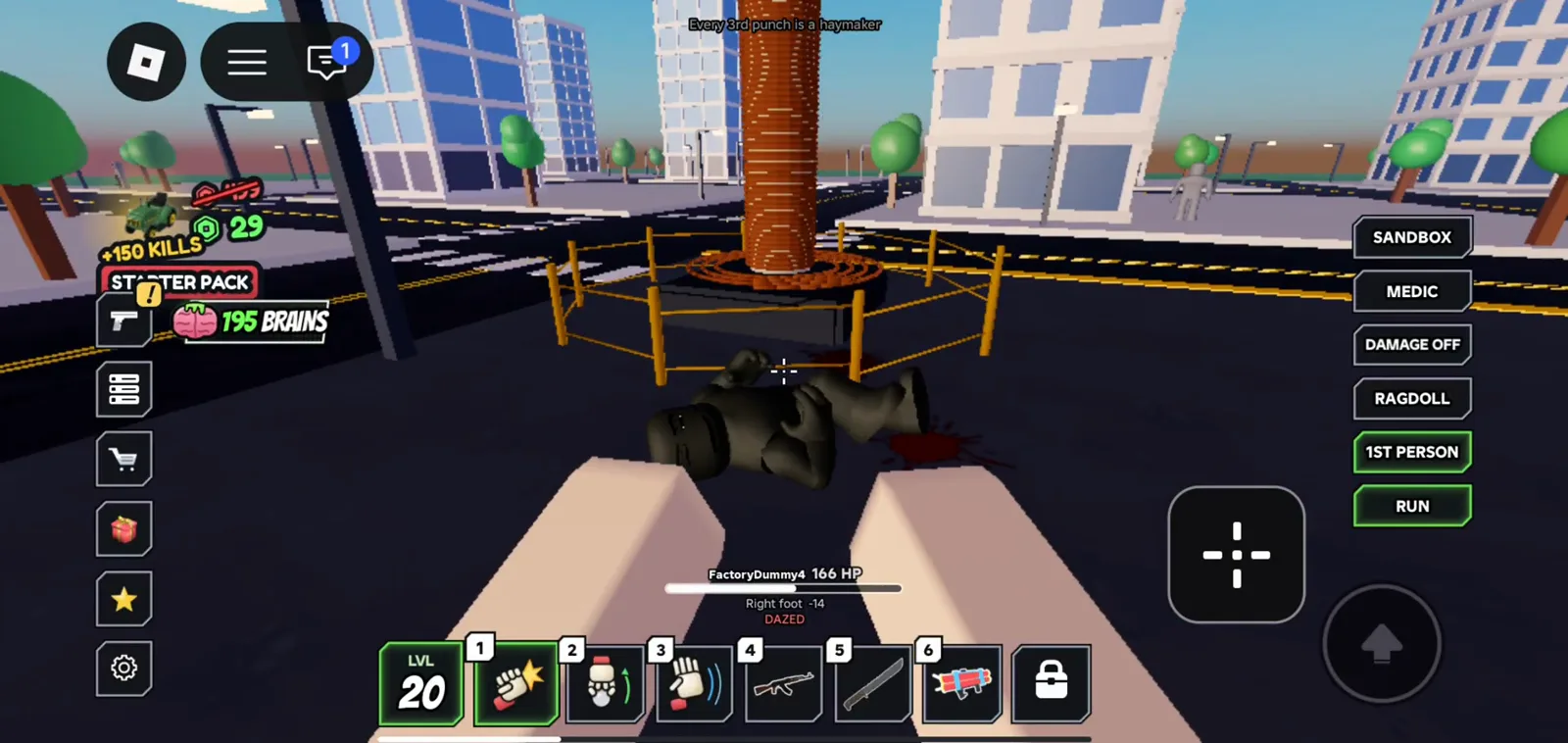
Standard mobile sidebar over a downed dummy on the road. Source: RemyGamerTV8750
These are label readings, not tested behavior. We have not confirmed what Medic, Damage, Ragdoll or 1st person actually do, and the developer has published no manual, so treat any behavior claim about them as unverified.
What do the mobile on-screen hints say?
The same clean mobile source shows touch-oriented prompts at different timestamps:
| On-screen text (video UI) | When it appears (tfvXF8sGXvQ) |
|---|---|
Tap: Grab Tap again: Throw |
Sawmill carriage scene (~518s); also ~64s city grab |
Click: Shove whatever is in front of you |
Crash Test Pad area (~56s) with hand icon in hotbar slot 3 |
Those strings are screen hints from recorded gameplay, not a complete mobile control chart. They match grab, throw, and shove mechanics described on the beginner guide.
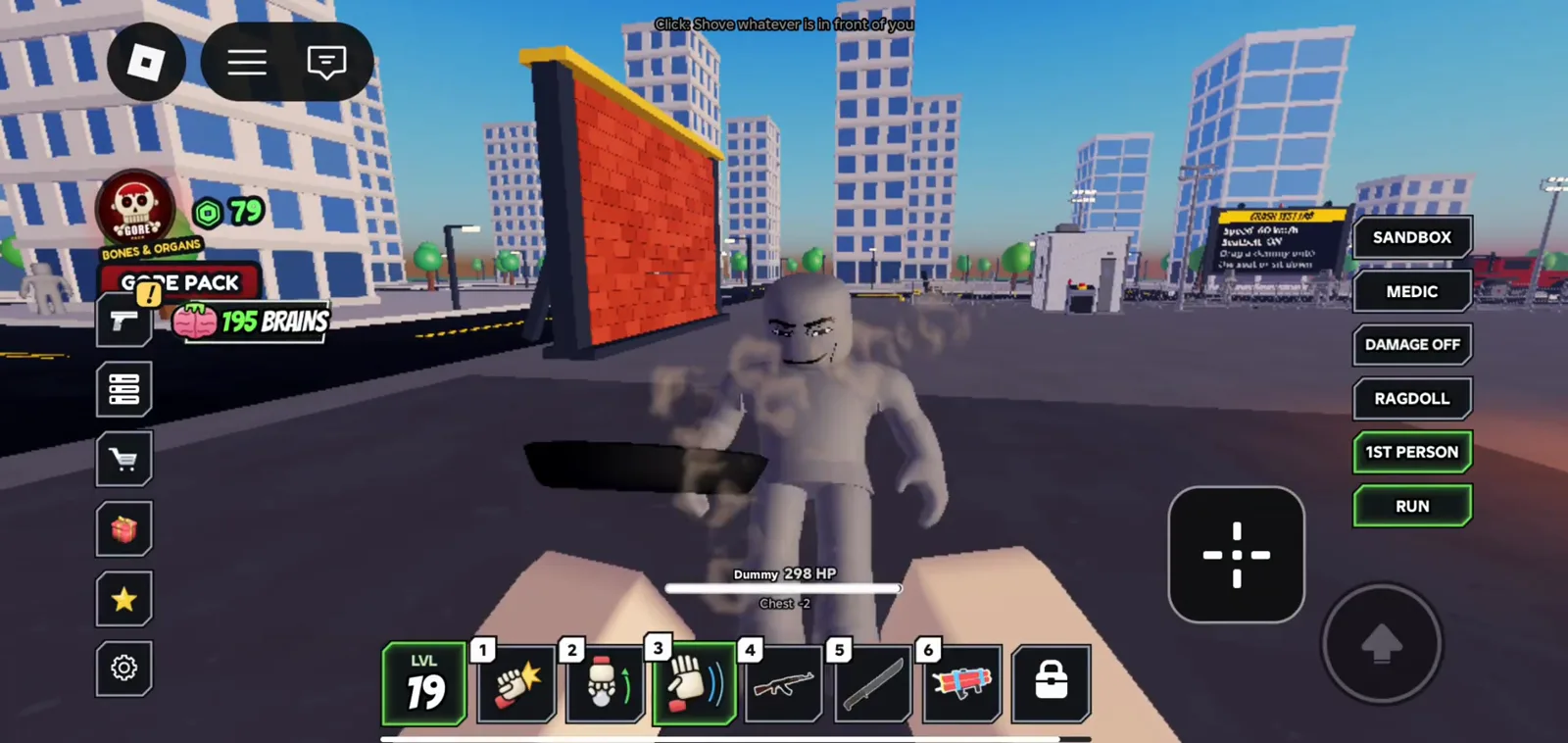
Shove hotbar slot on the crash test pad. Source: RemyGamerTV8750
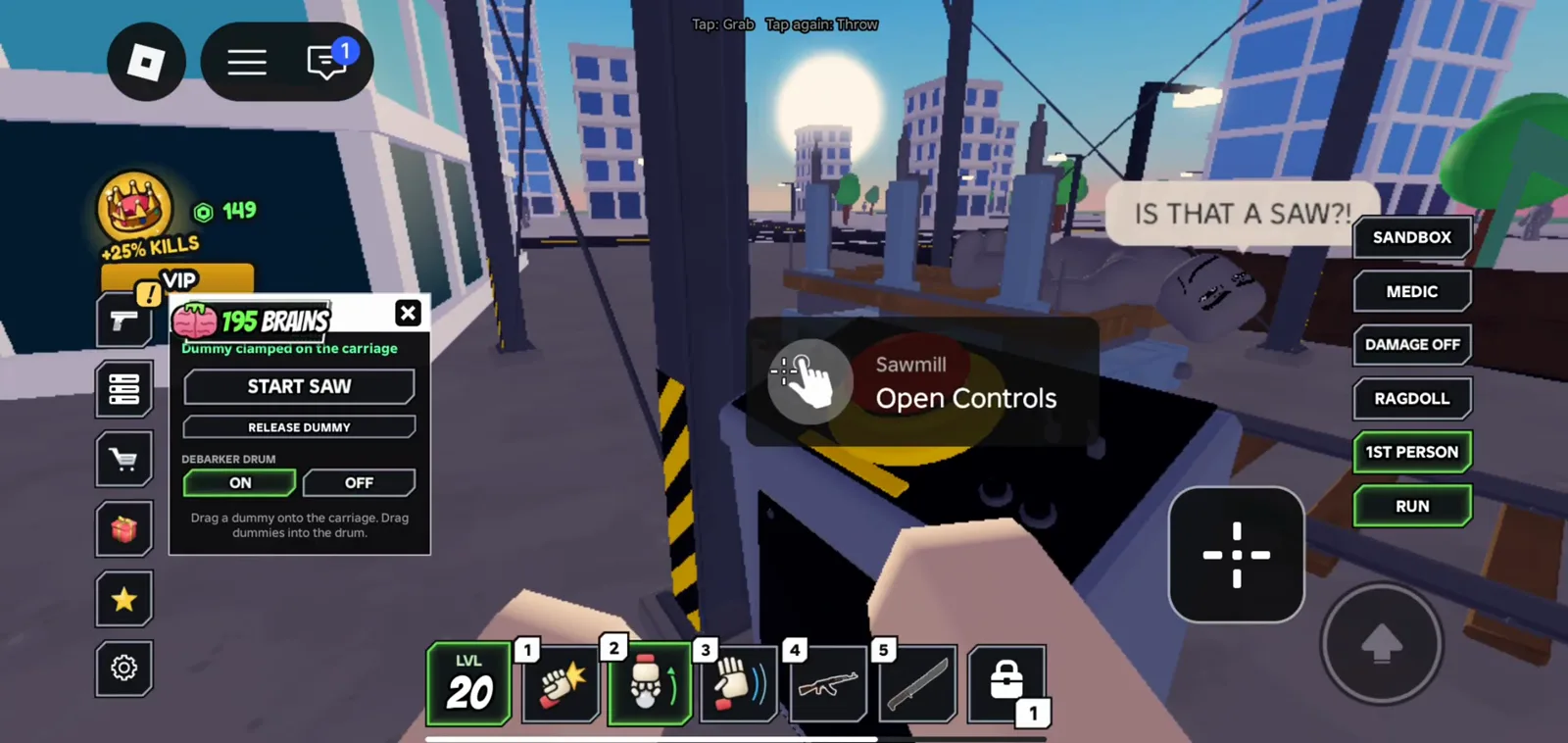
Sawmill control overlay plus the usual sandbox sidebar. Source: RemyGamerTV8750
The sawmill frame also shows environment prompts such as Open Controls, START SAW, and DEBARKER DRUM toggles—local machine UI, not global movement binds.
What PC hints appear on screen (not a full key map)?
At 84 seconds in the same RemyGamerTV8750 video (rifle range; also used on the unlock weapons page as a still), the top overlay reads:
Hold to fire · R: Reload · V: First person · B: Gunsmith
That bar is partial PC guidance baked into the HUD during that clip. It is useful for Gunsmith and first-person reminders, but it is not a verified full keyboard, mouse, or gamepad table. Older Axalo Plays footage (-jTQ8oDdSbk) mentioned Press B near Gunsmith UI as well, but that source carries a creator watermark and burned subtitles, so this page treats the tfvXF8sGXvQ overlay as the cleaner citation.
What is not confirmed yet?
| Topic | Status |
|---|---|
| Full PC keybind table | Not confirmed (fan wiki tables unchecked) |
| Complete mobile virtual button map | Not confirmed beyond captured hints |
| Gamepad button layout | Not confirmed |
| Gunsmith Pass price or instant attachment perks | Not confirmed |
| Horde start binding beyond UI text | Use horde mode (official: Horde button; video variants say Spawn a Horde) |
If Roblox or the developer publishes a first-party control sheet later, prefer that over third-party charts. Until then, use Roblox defaults plus the sidebar labels and hints above.
How do controls tie into weapons and hazards?
The six-slot hotbar appears above touch controls in the same footage (icons for fist, throwable, hand/grab, rifle, melee, explosive in various frames). Unlocking entries is kill-based per the official description—see unlock weapons without treating video kill counters as official thresholds.
Trap areas (train, shredder, tower, etc.) use local prompts like the sawmill Open Controls hand icon; hazard names come from the official playground list on the beginner guide and 80-stud tower pages.
Last checked: October 26, 2026.
Related Articles
guides
80 Stud Tower in Ragdoll Reality — Playground Falls Guide
What the official Ragdoll Reality description confirms about the 80-stud tower, throwing dummies off heights, and what gameplay footage can and cannot prove.
guides
Ragdoll Reality Beginner Guide — How to Play, Grab and Throw
Beginner guide for Ragdoll Reality on Roblox: hit reactions, grab and throw, hazards, weapon unlocks, and how it differs from similar games.
guides
Horde Mode in Ragdoll Reality — Horde Button and Zombie Wave
How Horde mode works in Ragdoll Reality: press the Horde button, survive the zombie wave, and how Spawn a Horde UI text relates to the same feature.
Was this helpful?
Thanks for the feedback!